Webpage Design - Desktop, Tablet & Phone
Writing Analysis Tool(WAT) Landing Page
Role
UX/UI Designer
Scope
IA→Section strategy→Style guide→High‑fidelity(Responsive) → Dev handoff
Team
Me + Project Manager + Software Engineer
Tools
FigJam, Figma
Timeline
4 weeks
Live Link
Project Description
I designed a new landing page for WAT that tells about product, addresses stakeholder goals section‑by‑section, and scales gracefully to tablet and mobile.
WAT is a tool for teachers and students
Highlights
Post‑launch, we saw 30% improvement in Downloads and -45% drop‑offs on mobile within 13 weeks.
Figma Prototype
Every section records Stakeholder requirements & design choices
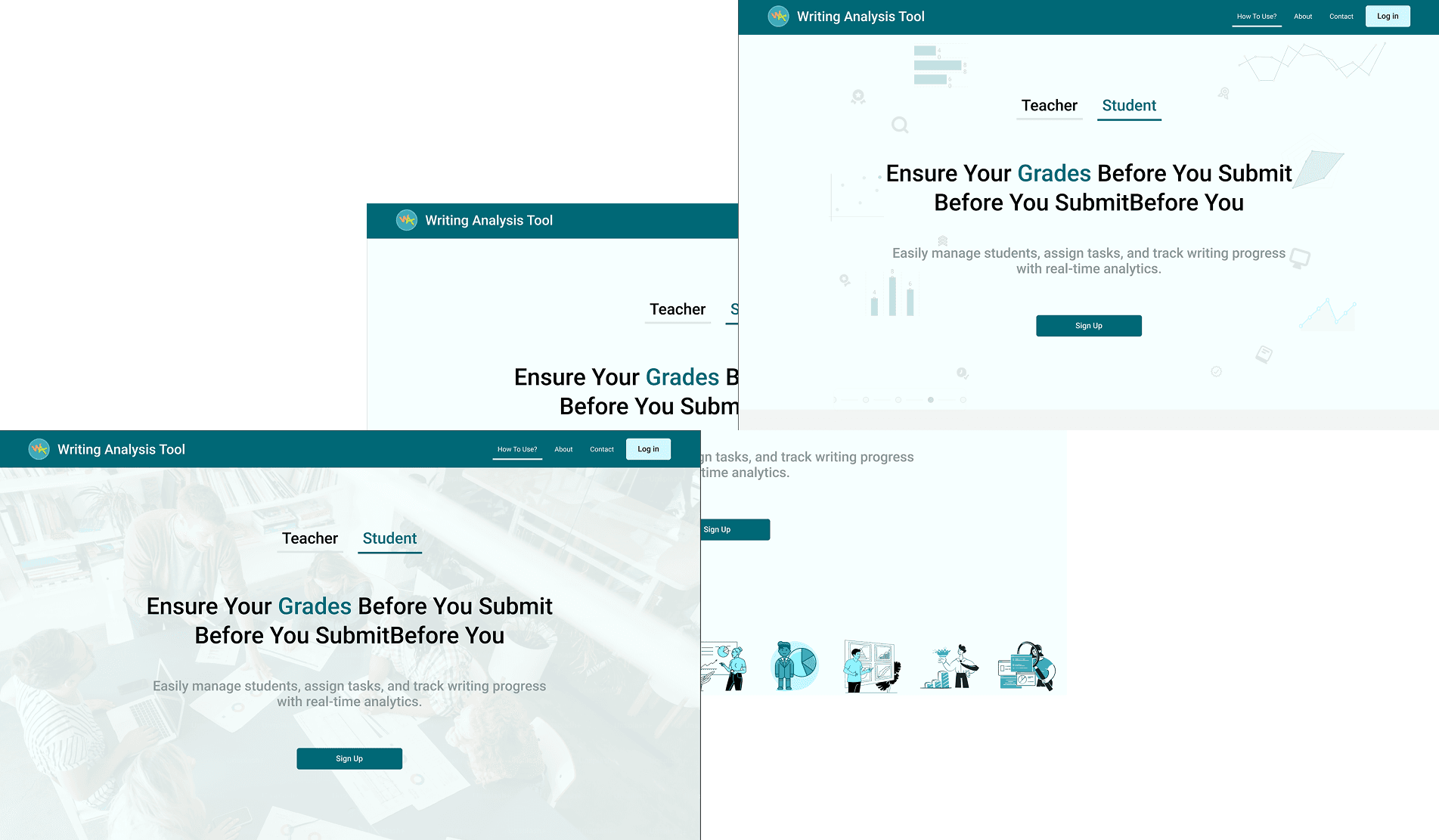
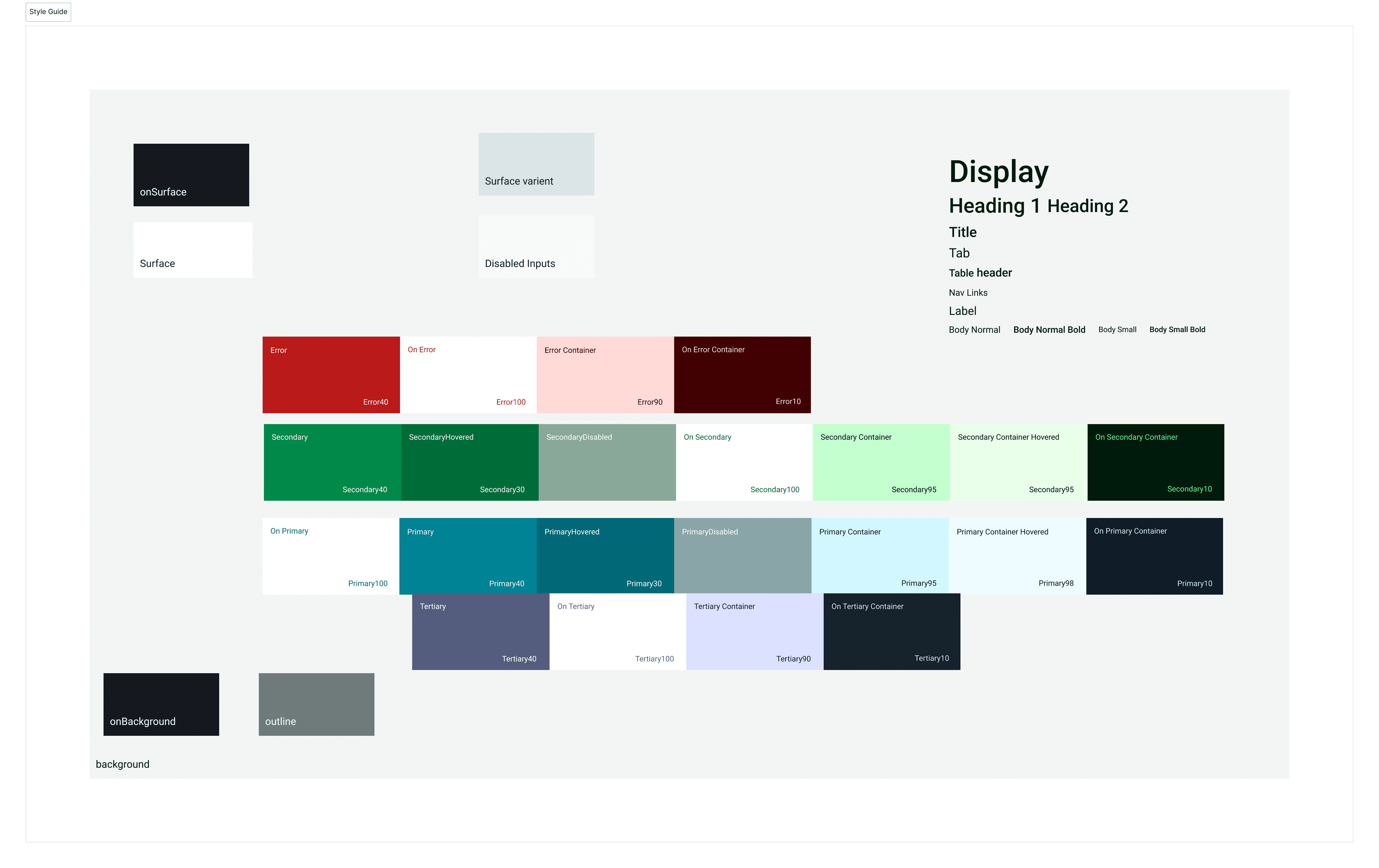
Used Design System, Color & type tokens, spacing scale similar to the tool to maintain branding .
Responsive Design for Tablet and mobile.
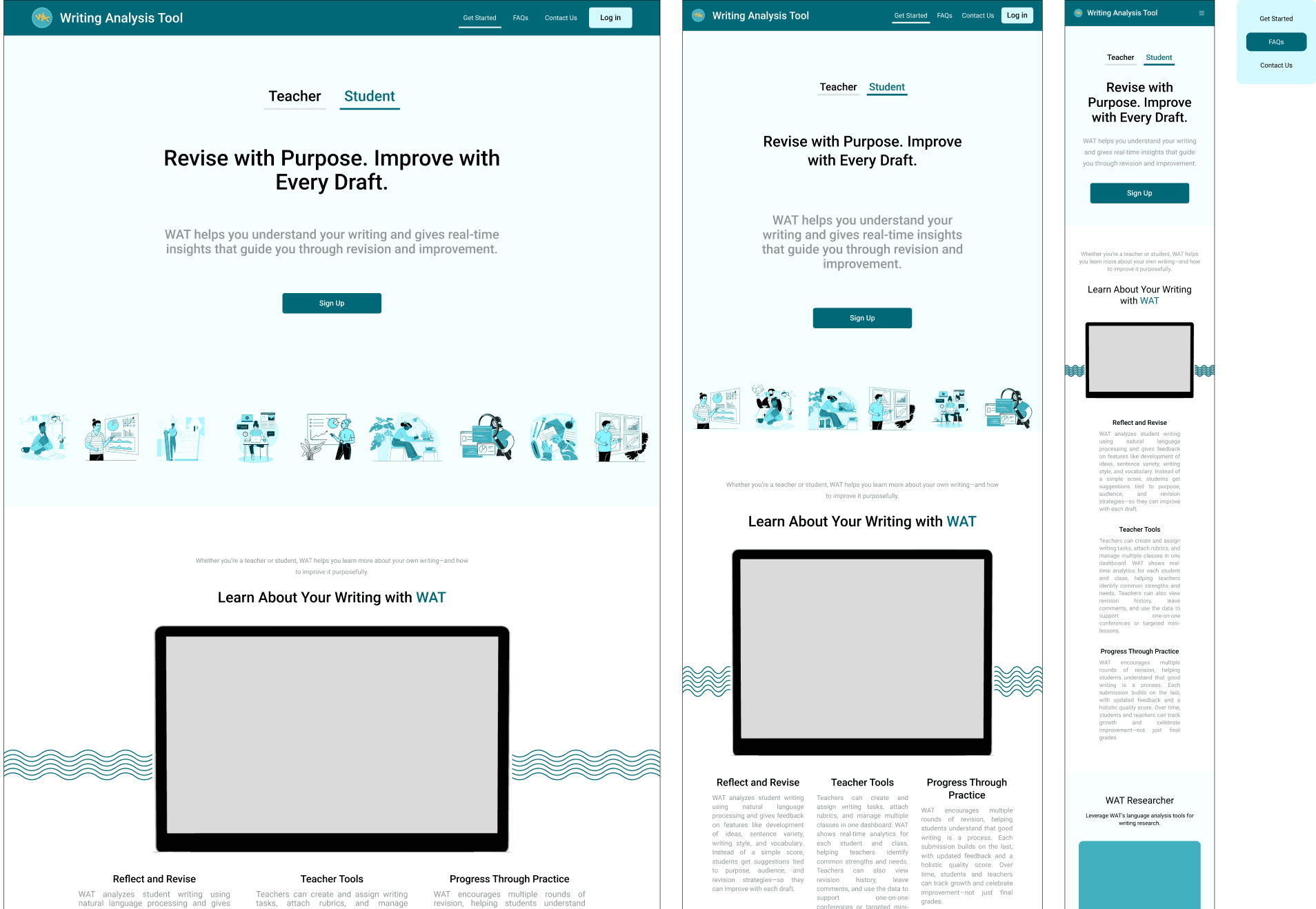
The Problem
The team needed a landing page that could explain the product. My goal was to ensure every section served a clear purpose with minimal cognitive load. For this I kept some Constraints in mind, to maintain Brand alignment, strong responsible experience, and clear CTA across the page. along with this stakeholder rquirements were to keep brand presence using same color guide as of tool.
Page Sections with Stakeholder Choices & Iterations
Navbar
I choose compact bar with logo, Branding, anchor links (Get Started, FAQ's, Contact Us) and primary CTA on the right.
Kept the height of navbar as 75px and inner elements with the padding of 15px to give more visual


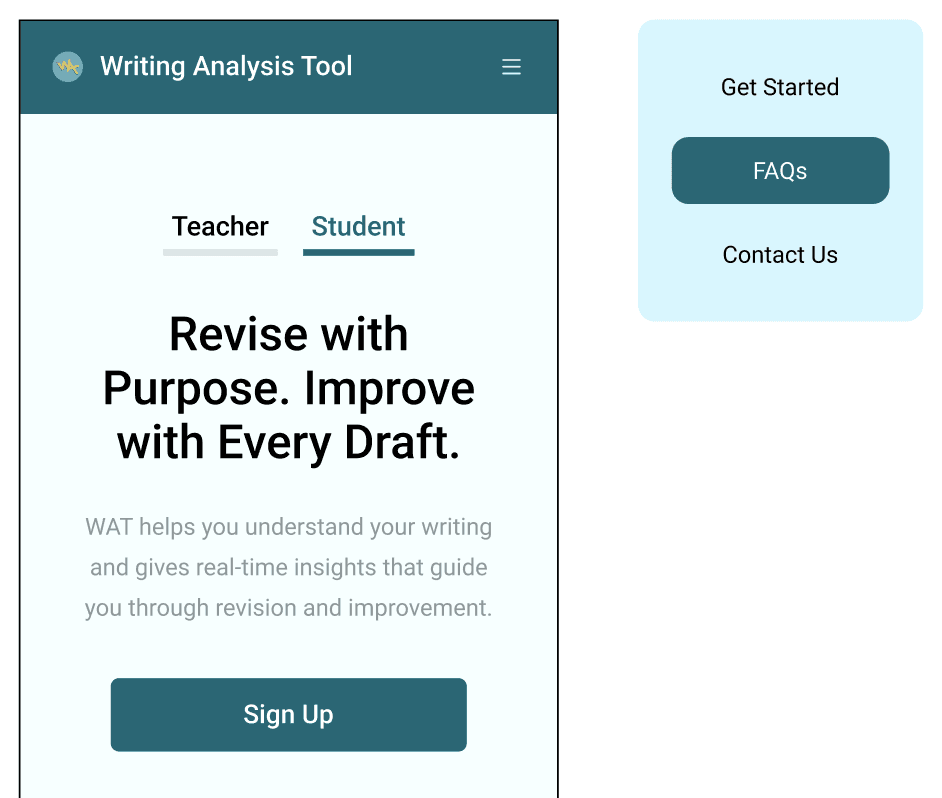
Collapsed into a hamburger on mobile.
Hero (Teachers / Students — tab switch)
• Stakeholder requirements: Speak to both audiences; keep a single, clear CTA; show value in one screen.
• Design choices: Two tabs (Teachers | Students) with audience-specific headline, one-line subhead, the same primary CTA, and an optional “See it in action” link.
• Iterations:
• v1→v2: Shortened headlines; increased white space; moved trust logos near hero.
• v2→v3: Default to the more common visitor group (e.g., Teachers) based on early traffic; preserve state on tab switch.
• Responsive: Tabs become a segmented control; CTA becomes sticky after ~50vh.
• Measure: Time-to-first-CTA, tab switch rate, bounce within first screen.
How WAT Works (3 steps)
Stakeholder requirements: No jargon; three steps max; clear next action.
Design choices: Three cards with verb-first titles (Upload → Analyze → Act), one-line descriptors, and a subtle link to learn more.
Iterations:
v1→v2: Renamed steps to action verbs; added tiny progress cue.
v2→v3: Reduced text length by ~30% for scan speed.
Responsive: Cards stack vertically; maintain tap targets ≥44px.
Measure: Scroll-through to section; clicks on “learn more”; post-section CTA clicks.
WAT Researcher (related product)
Stakeholder requirements: Introduce the research-oriented product without stealing focus from the main CTA.
Design choices: Slim “product spotlight” band: 1-sentence overview, 1 benefit bullet, secondary link “Explore WAT Researcher.”
Iterations:
v1→v2: Reduced visuals; moved section below “How it works” to keep primary narrative intact.
v2→v3: Added context tag “For researchers” to prevent audience confusion.
Responsive: Single-column; link as a clear secondary CTA.
Measure: Click-through to Researcher page; main CTA cannibalization (should remain minimal).
About Section
Stakeholder requirements: Brief origin, mission, credibility; avoid long copy.
Design choices: Two-column: short mission statement + credibility cues (team/partners/impact metric).
Iterations:
v1→v2: Swapped paragraph for bullet proof points; added micro-metric (e.g., “Used by X instructors”).
Responsive: Stacks with generous line height for readability.
Measure: Scroll dwell time; interactions with any “Learn more” links.
FAQ
Stakeholder requirements: Lead with privacy/data usage; keep answers clear and human.
Design choices: 6–8 accordion questions; privacy & data usage first; short answers with links to full policy.
Iterations:
v1→v2: Reordered questions from most to least anxiety-reducing; tightened copy.
Responsive: Full-width accordions; strong focus states for keyboard users.
Measure: Expansion rate per question; drop-off after FAQ; support tickets on privacy.
Footer
Stakeholder requirements: Legal, contact, minimal sitemap; maintain contrast.
Design choices: Clean columns; legal links; social/contact; back-to-top.
Iterations:
v1→v2: Increased contrast; clarified link hierarchy.
Responsive: Stacked lists with clear spacing.
Measure: Footer link usage; contact conversions.
Outcome
Outcome
Launched: [insert date].
Primary KPI: [+XX%] increase in primary CTA clicks vs. baseline (or v1).
Mobile: [−YY%] drop-offs; [+ZZ%] taps on sticky CTA.
Qual feedback: “[Short stakeholder quote on clarity/trust].”
Delivery: On time; low dev rework due to tokens & clear specs.
What I Learned
What I Learned
Audience segmentation in the hero works—if both paths drive to the same action.
Proof and privacy need to appear earlier than intuition suggests.
Micro-metrics next to benefits outperform long paragraphs.
Designing responsive patterns up front prevents last-minute compromises.
A tiny style guide (tokens + components) is enough to keep a build consistent.