Web App
AI Experience Framework
Designing a research-driven AI innovation platform that unifies evaluation, feasibility mapping, and implementation guidance into a seamless, guided workflow.
Role
UX Designer & Researcher
Team
Stakeholder, Product Owner, Software Developer, UX Designer
Tools
Figma
Duration
10 Weeks
Live Link

Project Overview
The AI-X Framework is a collection of practical tools that help educators and designers thoughtfully create AI-powered learning experiences. It guides users through different stages of the design process, ensuring that AI is used responsibly, intentionally, and in ways that genuinely support teaching and learning.
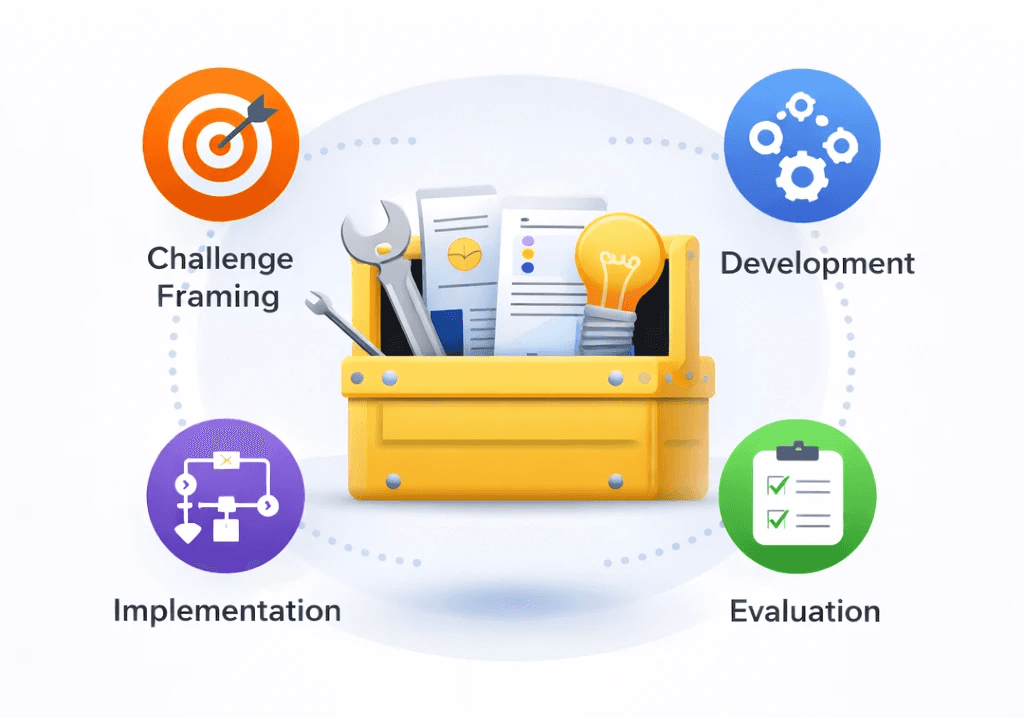
AI-X Toolkit
It provides phase-based resources and practical tools to design, implement, and refine AI-powered learning experiences.
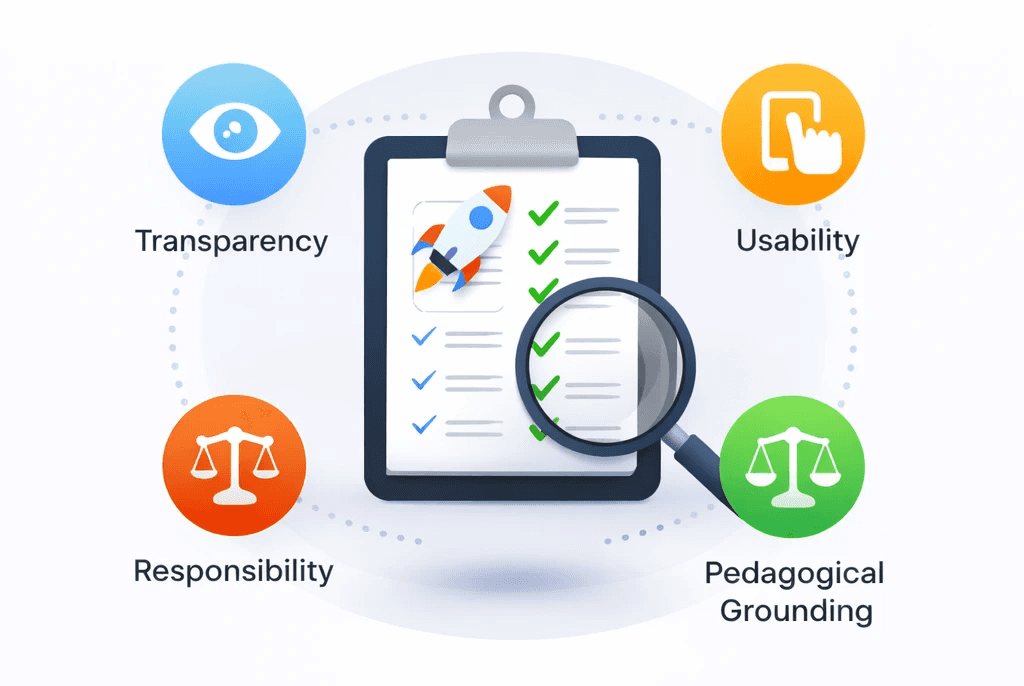
AI-X Guide
It supports structured evaluation and reflection to assess alignment, feasibility, and responsible design.
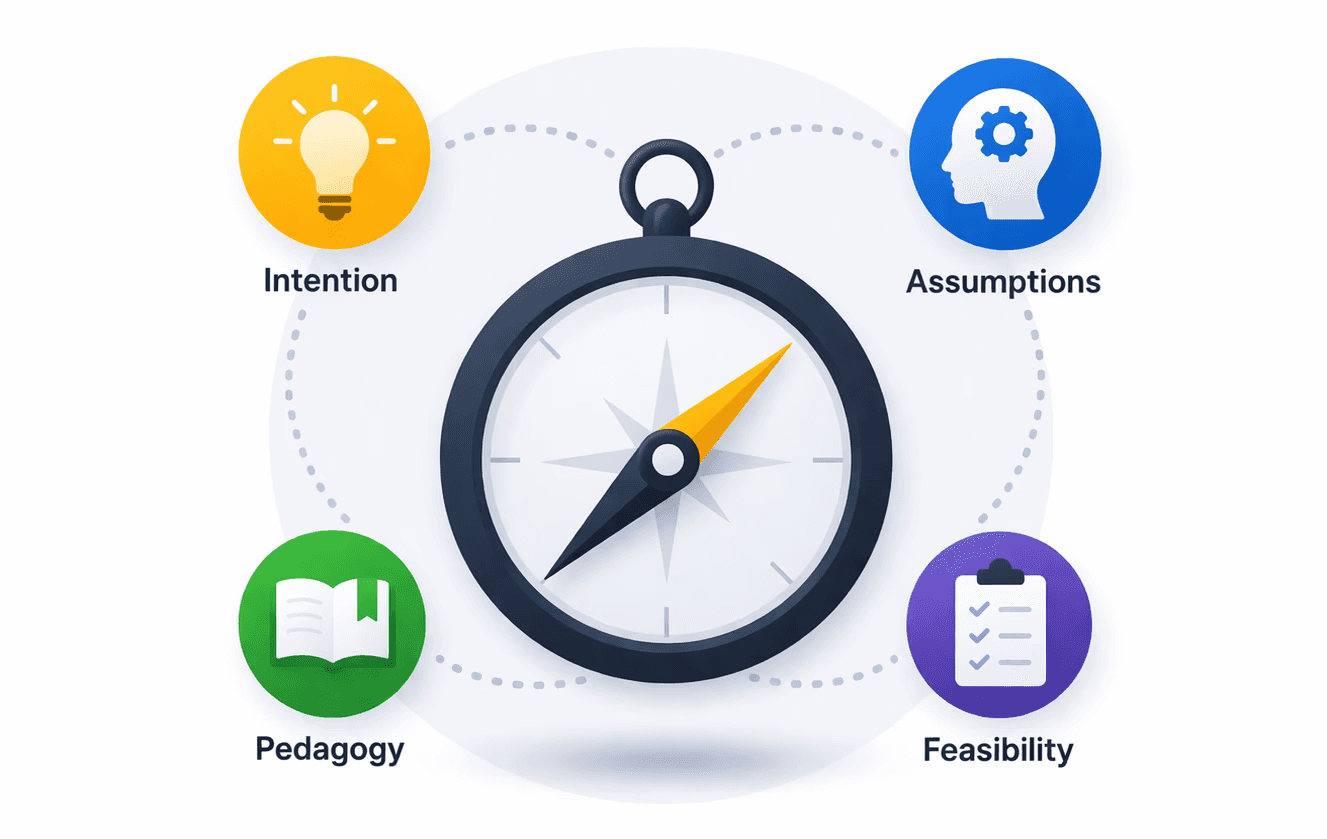
AI-X Compass
It helps users identify where they are in their AI innovation journey and determine the right starting point.
The platform integrates:
8
evaluation
themes
24+
rubric
criteria
4
implementation
statuses
5
Learning Engineering phases
4
PET dimensions
(Overall Fit, Pedagogy, Experience, Technology)
Problem Statement
LEI ASU researchers developed three strong, research-backed frameworks to support responsible AI innovation, but they had not yet been translated into an integrated, usable system.
Core Challenge
Design a cohesive digital experience that transforms AI-X Compass, AI-X Guide, AI-X Toolkit frameworks into a seamless, action-oriented workflow.
Understanding Requirements
I began by reviewing the SRS document to understand the structure and intent of the system, including:
1.
Framework relationships
How the three frameworks connect?
2.
Routing logic
3.
The evaluation structure (8 themes, ~24+ criteria)
4.
Scenario-based entry (guided navigation requirement)
5.
Resume functionality
The need for users to save and return to ongoing evaluations
One key requirement stood out:
Users would likely be unfamiliar with how the frameworks relate to one another?
This reinforced the importance of designing a clear, scenario-based guided navigation experience that reduces confusion at the entry point.
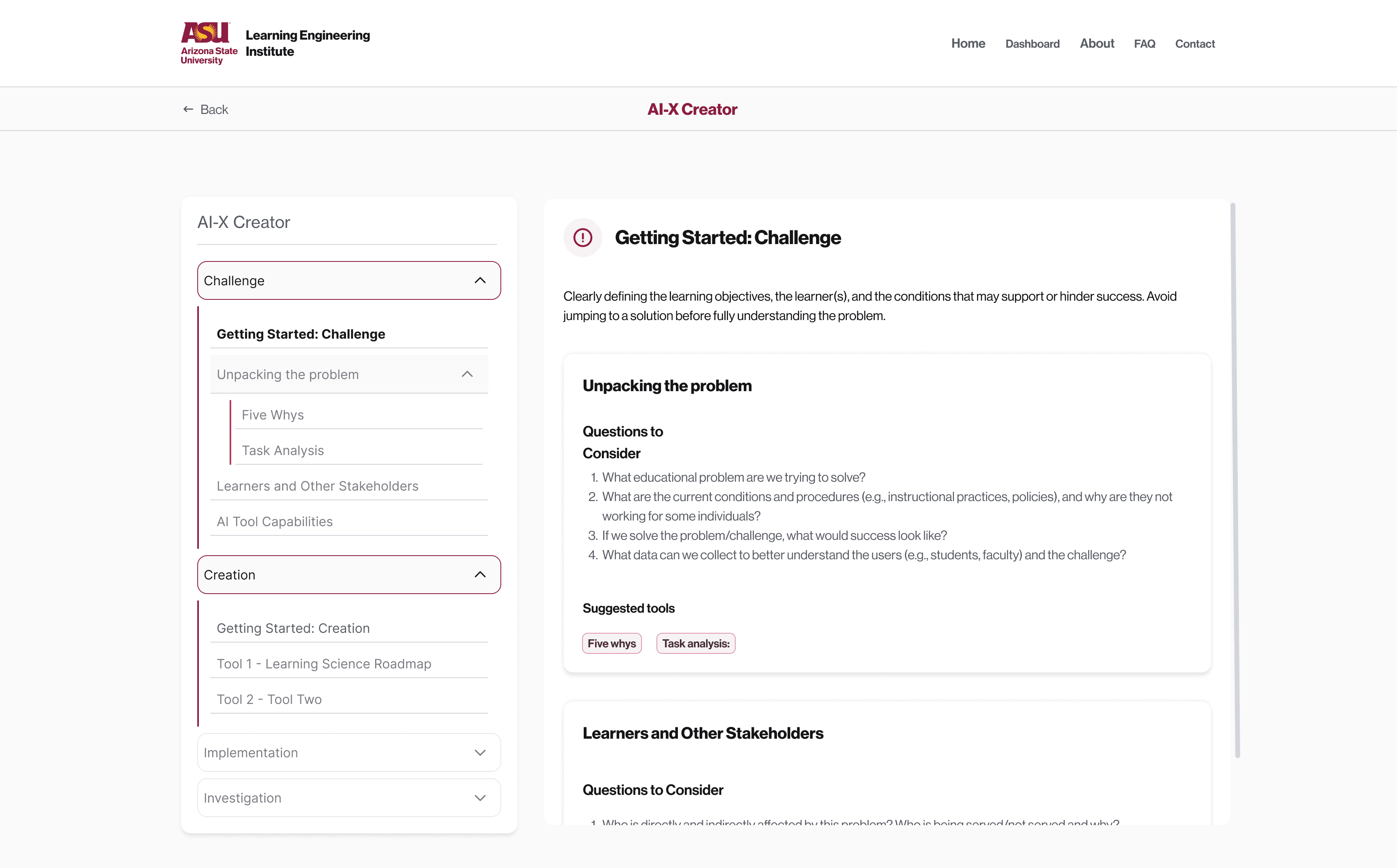
Designing Guided Navigation
Many users especially first-time visitors were unfamiliar with the system structure. Asking them to choose between abstract frameworks would increase cognitive load at the entry point.
To simplify the experience, I designed scenario-based entry paths:

Users select their goal. The system then recommends the appropriate framework (Compass, Guide, or Toolkit)
Reducing decision fatigue and providing immediate directional clarity.
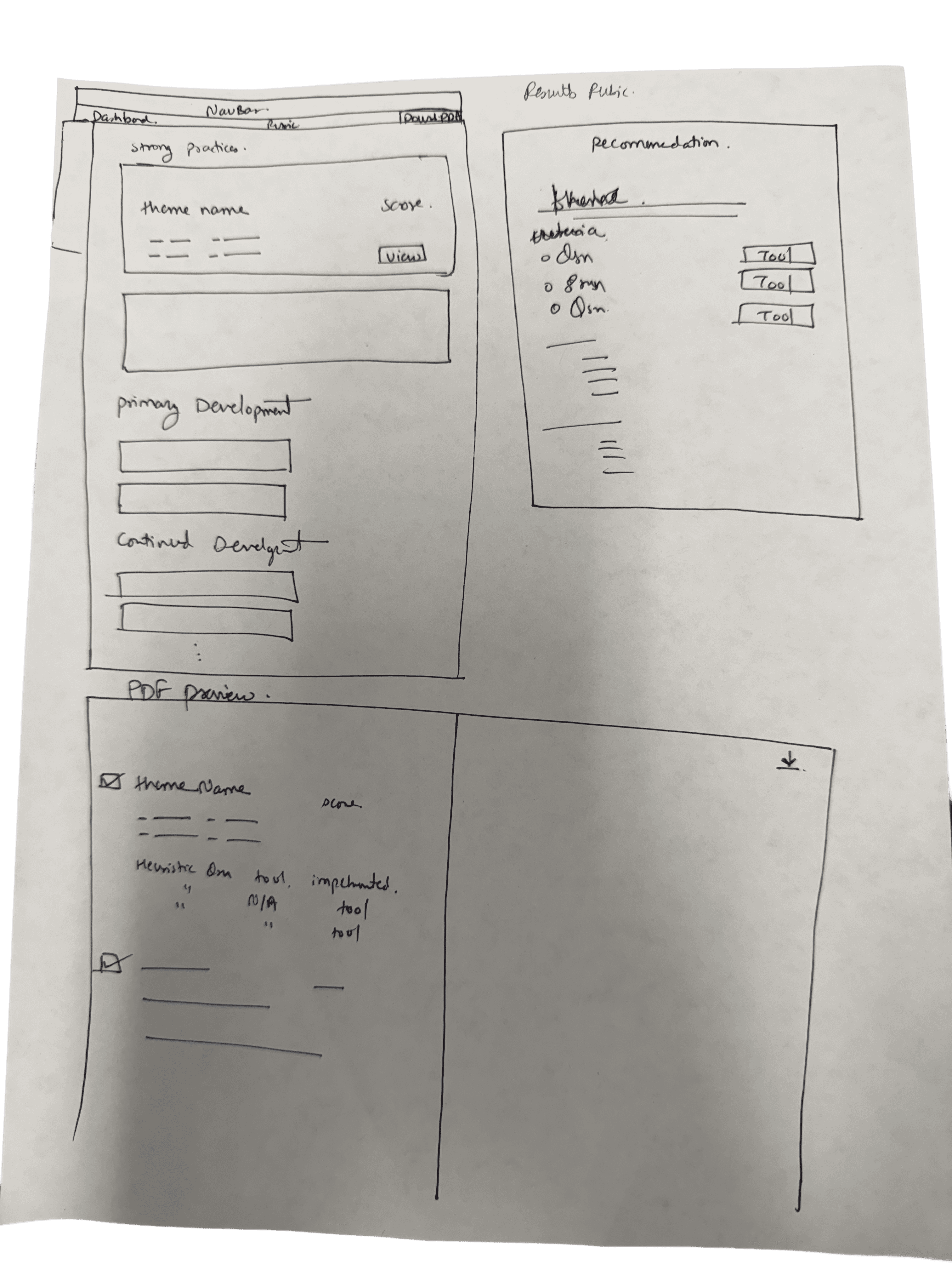
Paper Sketches (System Exploration)
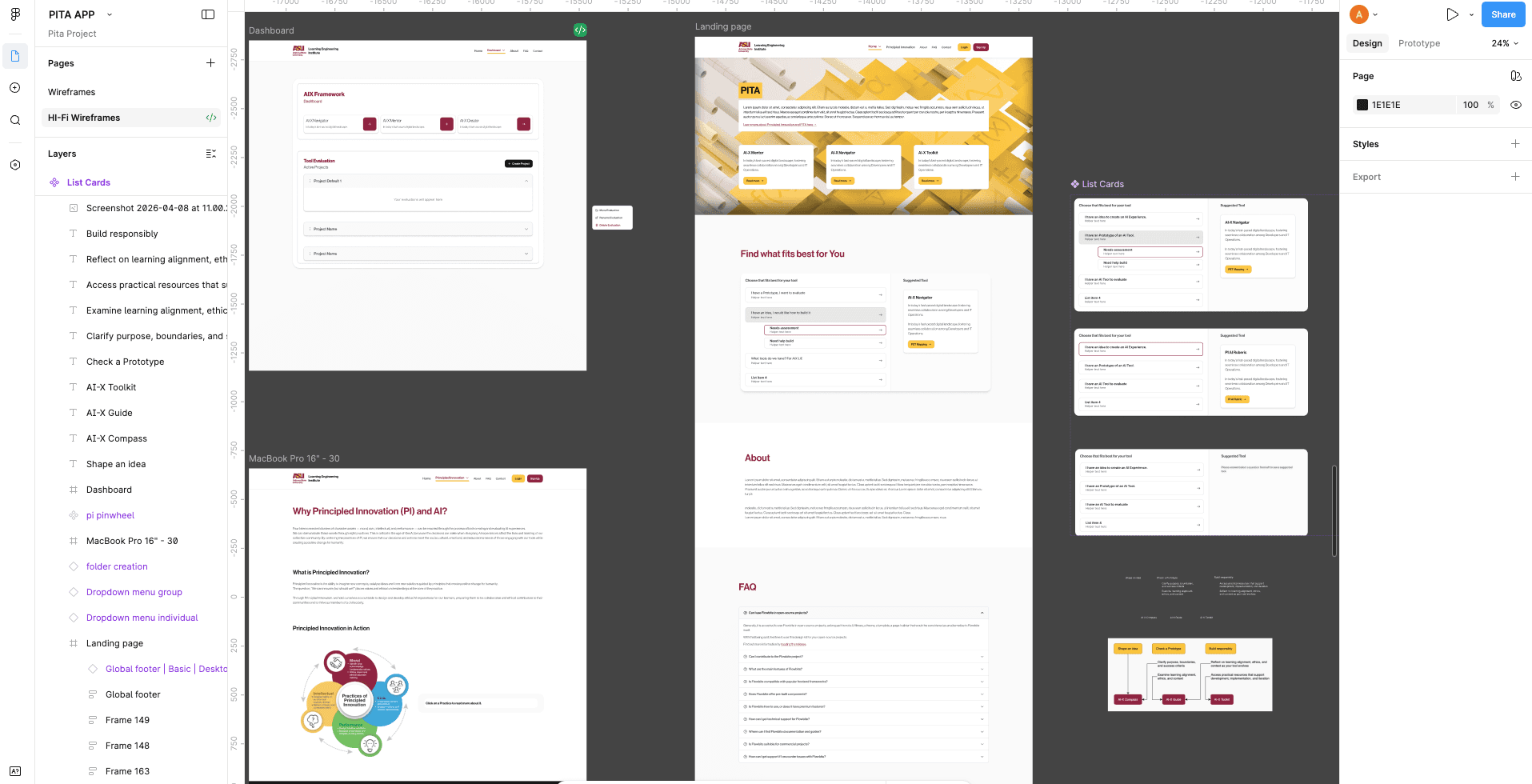
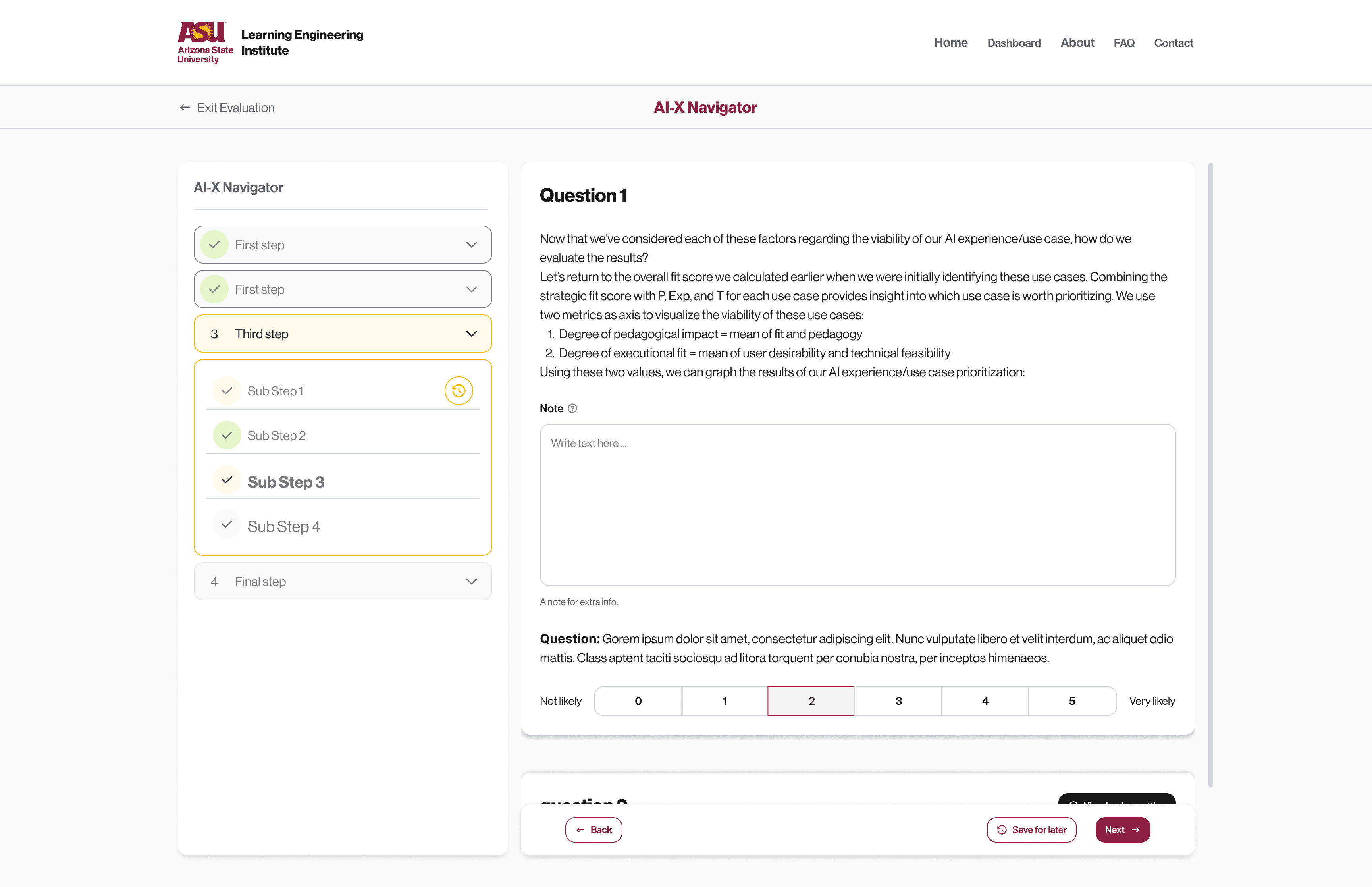
Before UI, I explored multiple structural layouts before finalizing a modular, guided system.
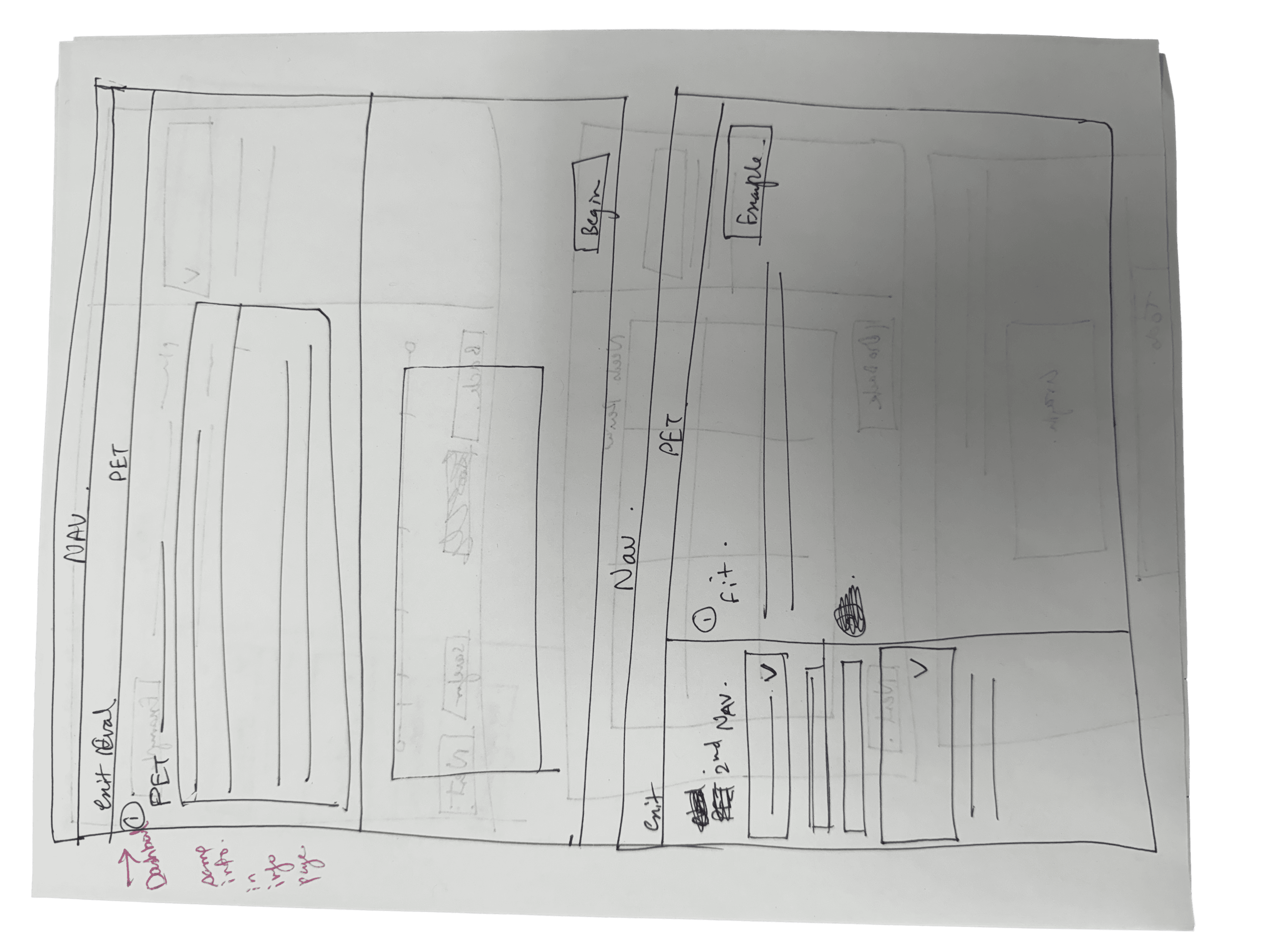

Low-Fidelity Wireframes
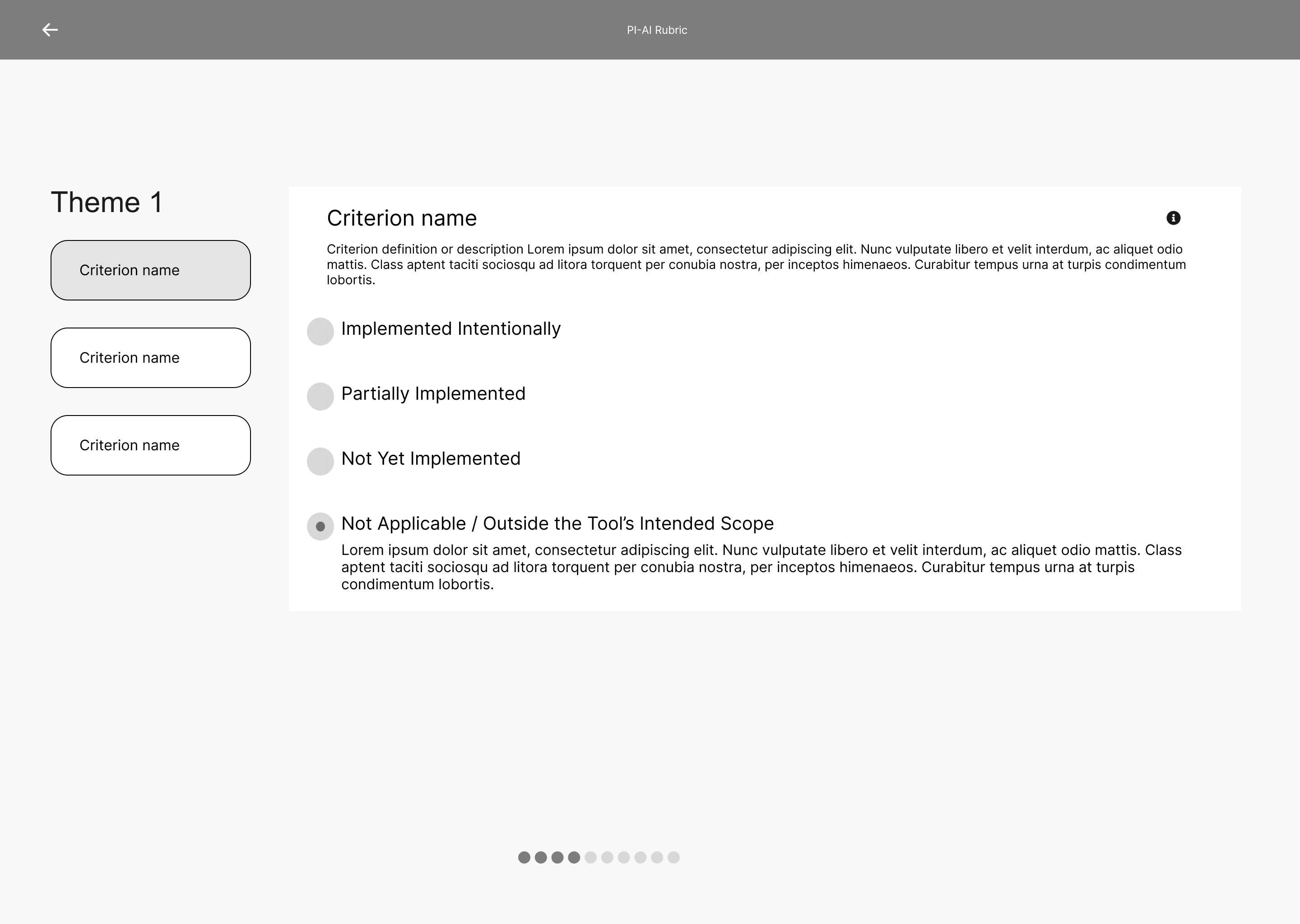
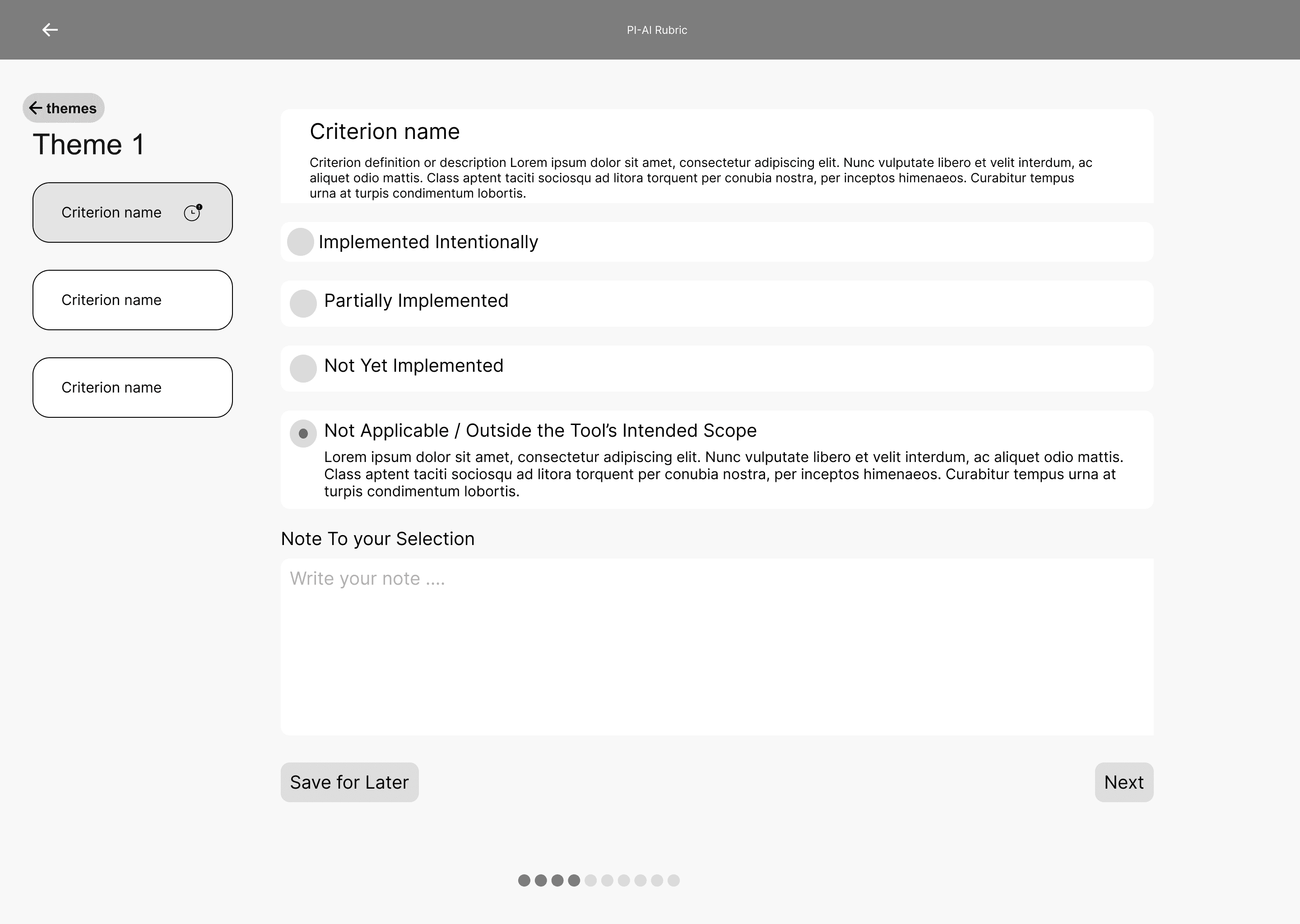
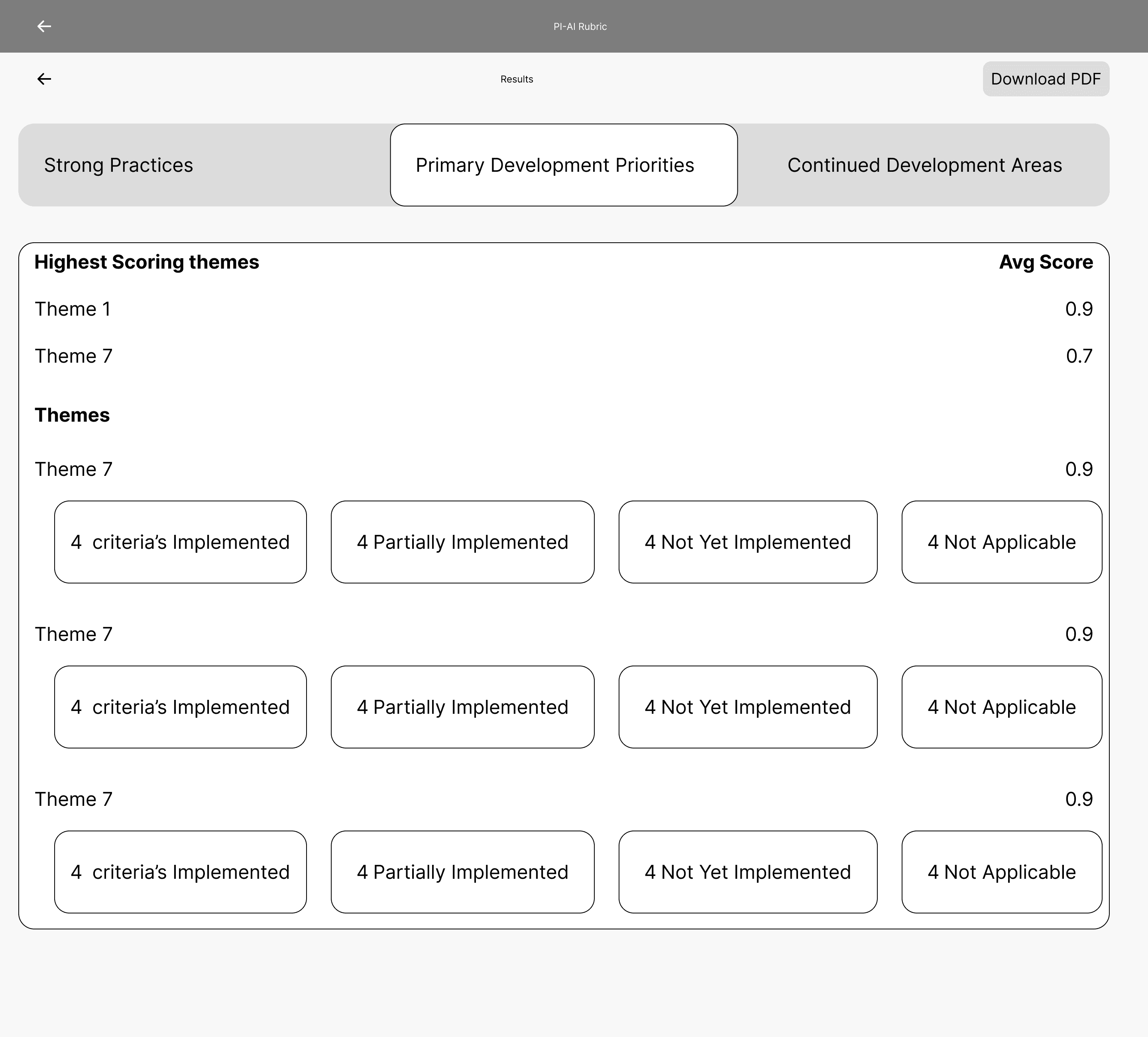
After Paper sketches, I converted it into Lo-Fi wireframes to give following.
Clear hierarchy
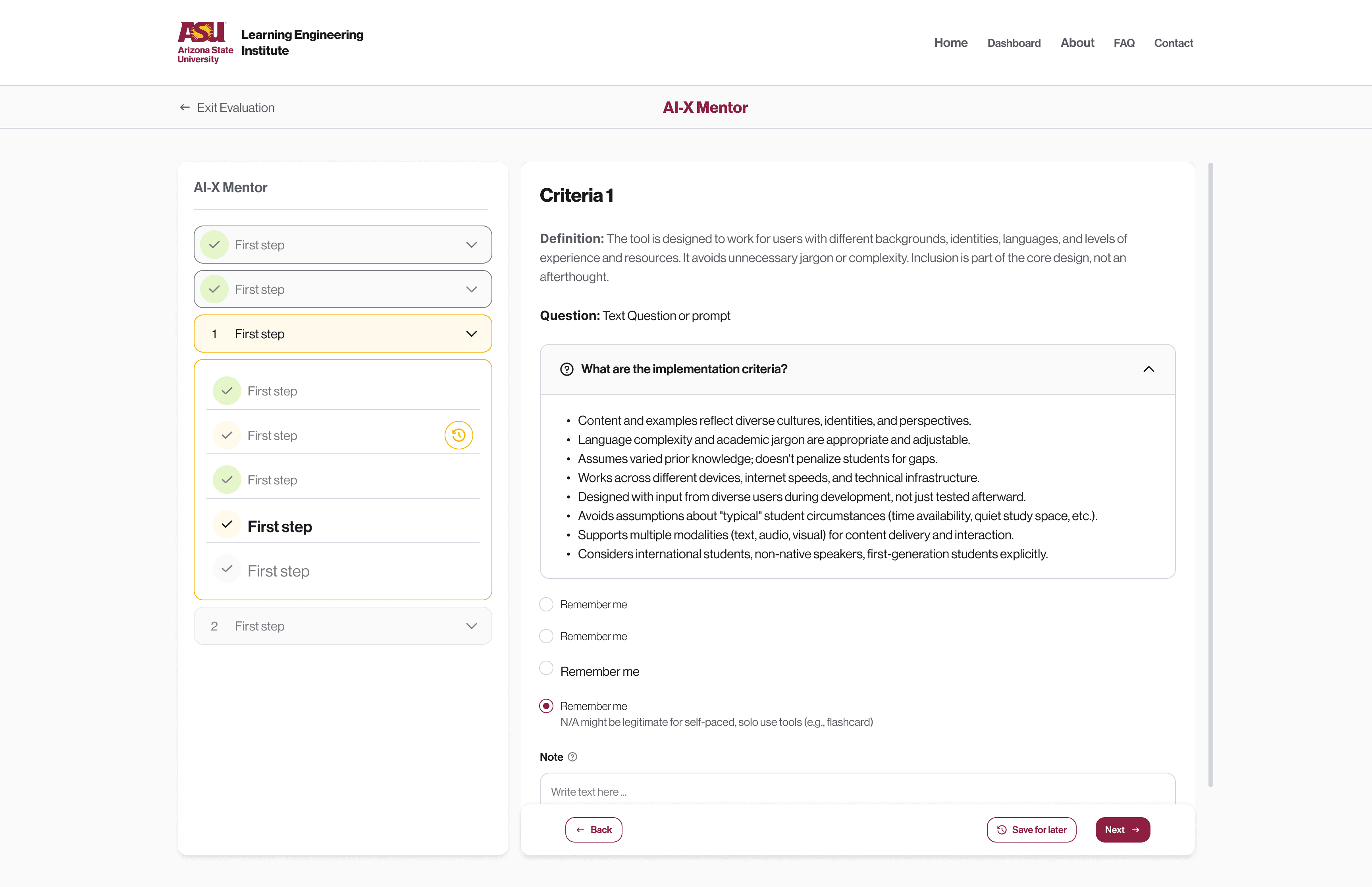
Progressive disclosure (accordion for dense rubric content)
Sequential theme progression
Save-for-later logic
Clear scoring feedback
Considering every active, inactive, save for later states.

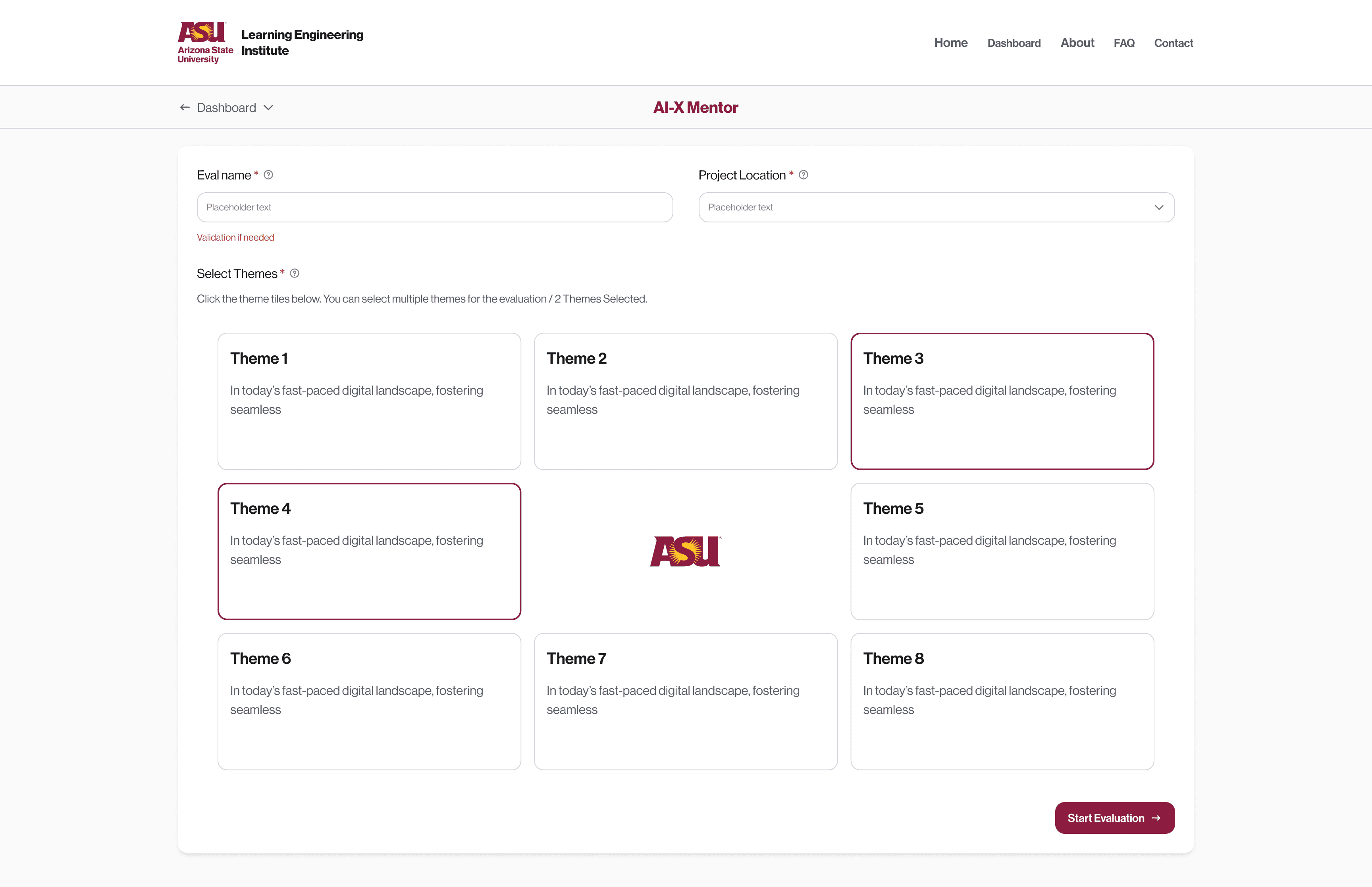
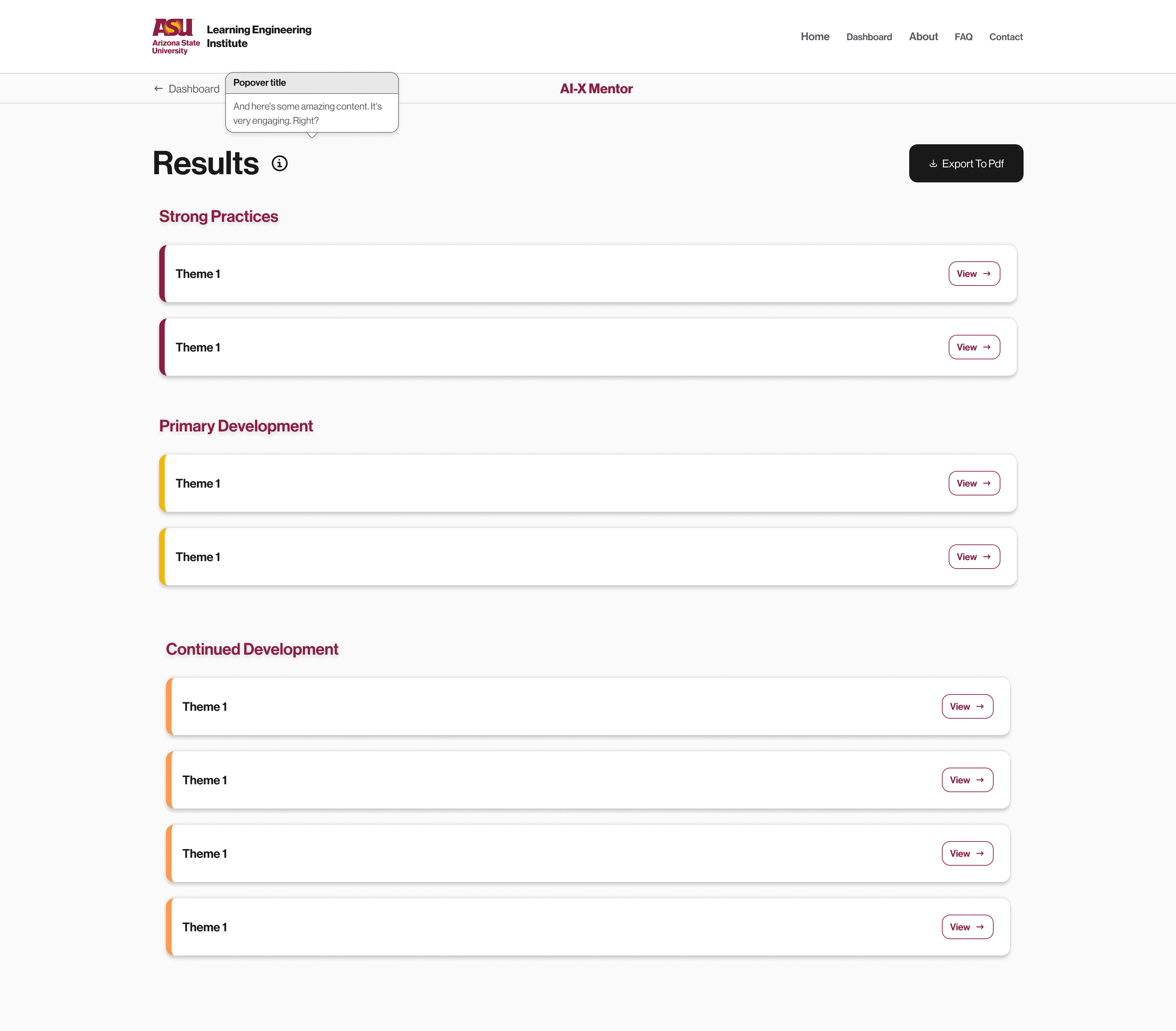
High-Fidelity Design
I designed:
8 theme-based rubric sections
AI-X Compass Workflow
AI-X Guide Workflow
AI-X Toolkit Workflow
Drag and Drop Dashboard
PET 1–5 rating scale
Visual score categorization (Strong Practices, Development Areas, Priorities)
Export customization
Resume logic
Landing Page


Dashboard Design (Project & Evaluation Management)
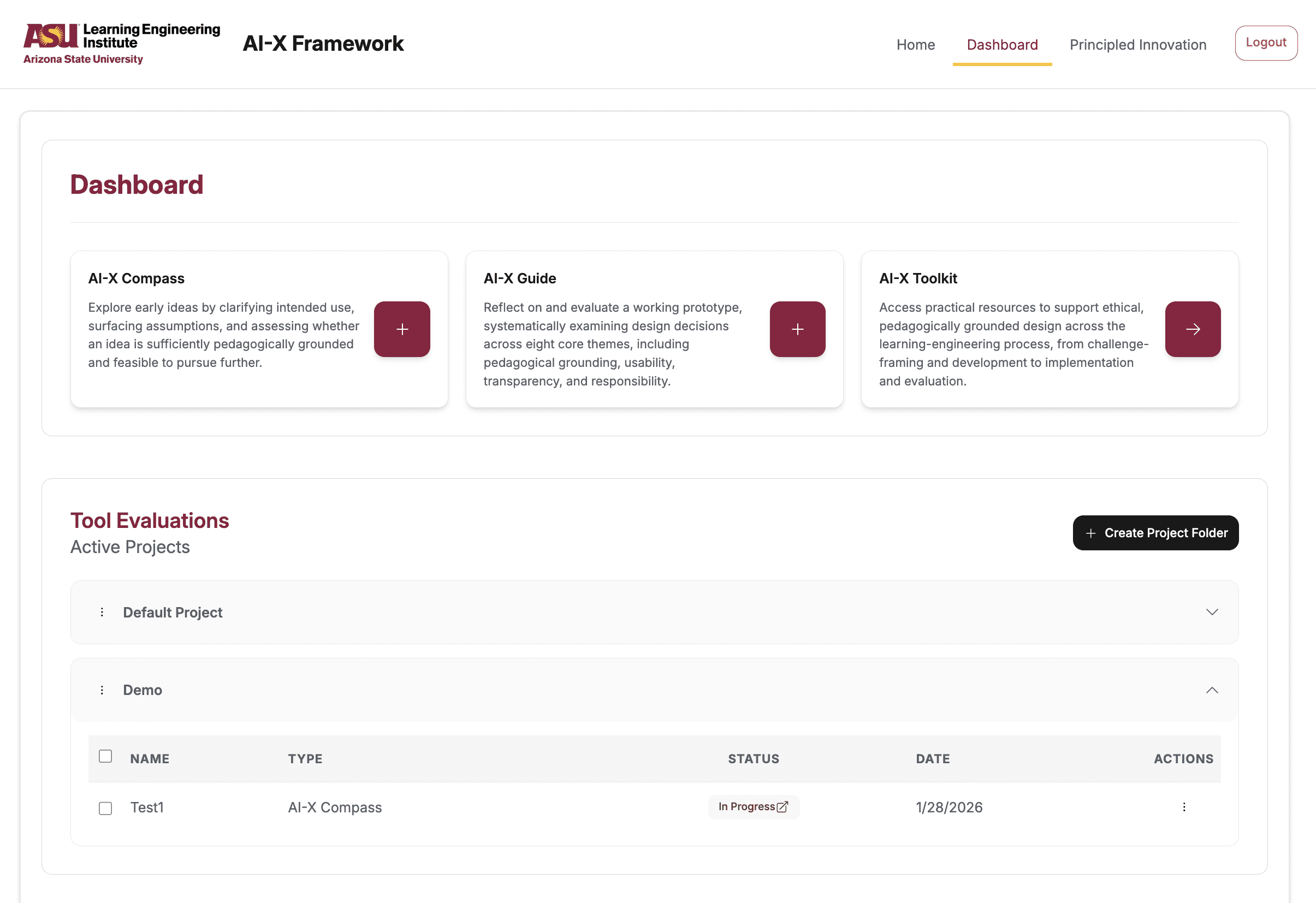
A critical addition was the Dashboard system.
Design Goals:
Allow users to manage multiple evaluations
Support project-based grouping
Provide resume functionality
Reduce administrative friction
Key Features I Designed:
Project Folders to organize evaluations
Drag-and-drop movement of evaluations between folders
Status indicators(Completed/Continue)
Focus Group Testing
We conducted structured sessions with 20+ participants evaluating:
Guided navigation clarity
Rubric density
PET interpretation
Dashboard usability
Save-for-later clarity
Key Design Iterations:
Reduced rubric cognitive load via accordions
Clarified scoring impact of “Save for Later”
Reframed PET results language to feel developmental
Strengthened routing explanation messaging
Improved dashboard status clarity
Launch
The version launched
What I Learned
Clarity is design, not content.
Even strong research needs thoughtful interaction design to become usable in real-world workflows.
Entry decisions shape user confidence.
Designing around user intent reduces cognitive load for first-time users navigating complex systems.
Complexity requires structure, not simplification.
With 8 themes and 24+ criteria, progressive disclosure and clear hierarchy were essential to maintain depth without overwhelming users.